
Most of these businesses are paying thousands on advertisements yet they have no idea what is actually working. This is often the case in advertising company since we often audit ad accounts in which campaigns appear a good deal on the surface- but the tracking configuration tells a totally different tale. In practice, bad data are usually brought about by mere Google Ads Tracking Follies that falsify performance metrics and make poor decisions.
When you can not track properly, you are optimizing campaigns by using guess work. Here you will find the most frequent Google Ads Tracking Mistakes that can be easily identified and corrected, and you will finally have a fully functional ad account, not a speculation.
1. Conversion Tracking Not Set Up Properly
The Mistake
One of the most common Google Ads Tracking Mistakes is not setting up conversion tracking correctly—or not setting it up at all.
Many advertisers run campaigns but only track clicks instead of real business results such as:
- Leads
- Purchases
- Phone calls
- Form submissions
Without conversion tracking, Google’s algorithm cannot optimize your campaigns for actual outcomes.
Why This Happens
This usually happens when businesses:
- Install Google Ads but skip the conversion setup
- Use outdated tracking methods
- Forget to place the conversion tag on the thank-you page
How to Fix It
Follow these steps:
- Login to Google Ads Account → Tools & Settings → Conversions
- Create a new conversion action
- Choose the appropriate conversion type:
- Website
- Phone calls
- App
- Website
- Install the global site tag and event snippet
- Test conversions using Google Tag Assistant
Once conversion tracking is active, Google can optimize campaigns toward real results instead of just traffic.
2. Not Linking Google Ads with Google Analytics
The Mistake
The other significant Google Ads Tracking Mistakes is the inability to use Google Ads and Google Analytics 4 (GA4).
Without this integration, you lose valuable data about:
- User behavior
- Time on page
- Bounce rate
- Assisted conversions
This limits your ability to understand how ads influence the full customer journey.
How to Fix It
- Open Google Analytics
- Go to Admin → Product Links
- Click Google Ads Linking
- Select your ad account
- Enable auto-tagging
When connected, you will learn more about the interaction of the users with your site once they have clicked on your ads.
3. Not Using Auto-Tagging
The Mistake
Auto-tagging automatically adds a GCLID parameter to your ad URLs so Google can track performance accurately.
When such option is turned off by advertisers, Google is denied access to user activities across platforms. This becomes one of the most overlooked Google Ads Tracking Mistakes.
Why It Matters
Without auto-tagging, you cannot properly track:
- Campaign performance in GA4
- Conversion paths
- Cross-device behavior
How to Fix It
- Go to Google Ads → Settings
- Open Account Settings
- Enable Auto-tagging
Once enabled, every ad click will automatically carry tracking data.
4. Tracking Only Final Conversions (Ignoring Micro Conversions)
The Mistake
Many advertisers track only the final sale or lead submission.
But the reality is that customers interact with multiple touchpoints before converting.
Examples of micro conversions include:
- Button clicks
- Product page views
- Add-to-cart actions
- Newsletter signups
Ignoring these signals is one of the hidden Google Ads Tracking Mistakes that limits campaign optimization.
How to Fix It
Start tracking smaller engagement signals such as:
- Scroll depth
- Add-to-cart events
- Contact form starts
- Video views
These micro conversions help Google understand user intent and improve targeting.
5. Incorrect Attribution Model
The Mistake
Most advertisers are taking the advice of Last Click Attribution which attributes 100 percent of the value to the last click before conversion.
Nevertheless, the contemporary customer journeys can be characterized by numerous touchpoints.
This creates misleading data and is another common Google Ads Tracking Mistakes.
Example
A customer might:
- Click a YouTube ad
- Later click a search ad
- Finally convert after a remarketing ad
Last-Click attribution is the attribution that only considers the last step but not the previous interactions.
How to Fix It
Switch to Data-Driven Attribution.
Steps:
- Open Google Ads → Conversions
- Select the conversion action
- Click Attribution Model
- Choose Data-Driven
This allows Google’s algorithm to distribute credit across the entire customer journey.
6. Duplicate Conversion Tracking
The Mistake
Sometimes conversion tracking fires multiple times for the same action.
This happens when:
- Tags are installed twice
- Google Tag Manager duplicates triggers
- Multiple plugins add tracking scripts
Duplicate conversions inflate results and represent one of the most dangerous Google Ads Tracking Mistakes.
Why It’s Dangerous
If your account reports double conversions:
- You’ll think campaigns are profitable
- You’ll increase budgets
- But actual ROI will be lower than expected
How to Fix It
Run a quick audit:
- Use Google Tag Assistant
- Check the number of tags firing
- Ensure only one conversion tag triggers
- Test conversions in real time
This ensures your reported conversions match actual business outcomes.
7. Not Tracking Phone Calls or Offline Conversions
The Mistake
Many businesses generate leads through phone calls or sales teams, but these conversions never appear in Google Ads.
This disconnect creates one of the most overlooked Google Ads Tracking Mistakes.
Example
A user:
- Clicks a Google ad
- Calls your business
- Makes a purchase
But if call tracking is missing, Google records zero conversions.
How to Fix It
Enable Call Tracking in Google Ads:
Steps:
- Go to Conversions → New Conversion
- Select Phone Calls
- Choose:
- Calls from ads
- Calls from website
- Calls from ads
- Install the call tracking snippet
For businesses with sales teams, you can also upload offline conversions directly into Google Ads.
Why Fixing Google Ads Tracking Mistakes Matters
Profitable advertising is based on accurate tracking.
Without paying attention to these Google Ads Tracking Mistakes, the businesses may find themselves in trouble with:
- Misleading performance reports
- Incorrect ROI calculations
- Poor optimization decisions
- Wasted ad spend
Fixing tracking doesn’t just improve data—it improves every decision you make about your campaigns.
Better tracking means:
- Smarter bidding strategies
- Improved targeting
- Higher conversion rates
- More profitable campaigns
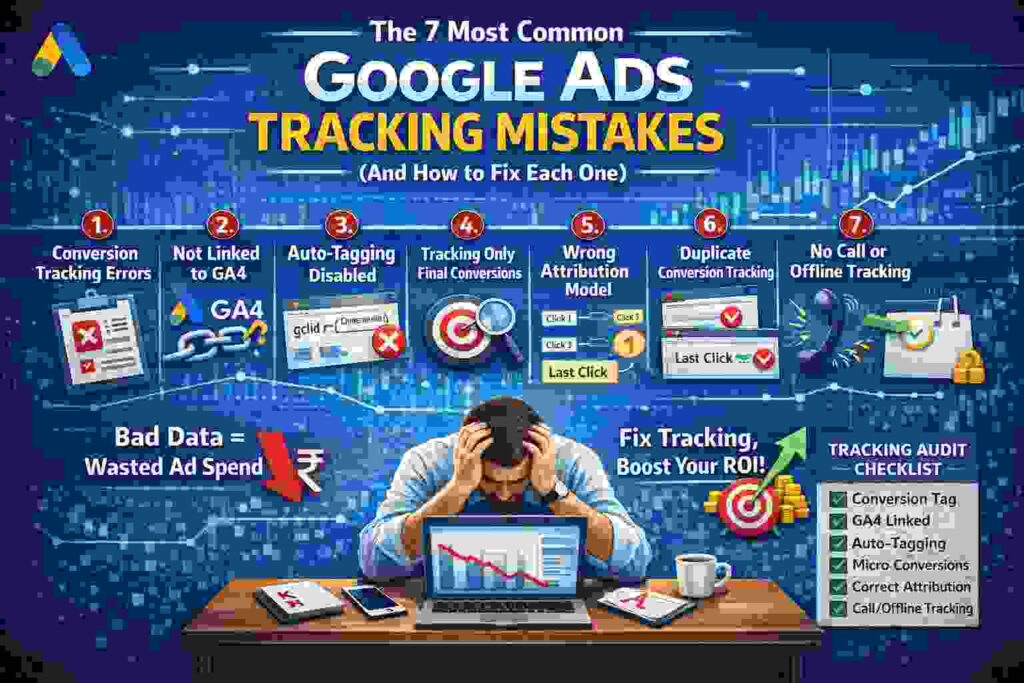
Quick Google Ads Tracking Audit Checklist
Use this checklist to identify potential issues in your account:
✔ Conversion tracking installed correctly
✔ Google Ads linked with GA4
✔ Auto-tagging enabled
✔ Micro conversions tracked
✔ Data-driven attribution model active
✔ No duplicate conversion tags
✔ Phone calls and offline conversions tracked
When your account fails a number of items on this checklist, then it is best that you correct those Google Ads Tracking Mistakes first before you spend more money on the ads.
Final Thoughts
Effective advertising is not only about running adverts, it is about quantifying what is really making a difference.
There is a category of businesses that thinks that they are experiencing a targeting issue or a creative issue when in truth they are experiencing simple Google Ads Tracking Mistakes.
Once tracking is fixed, campaign optimization becomes much easier because every decision is based on reliable data.
To make a profitable scaling of Google Ads, begin with your tracking set up. The use of accurate data will always be better than guess.
Fix the tracking first—then scale the campaigns.