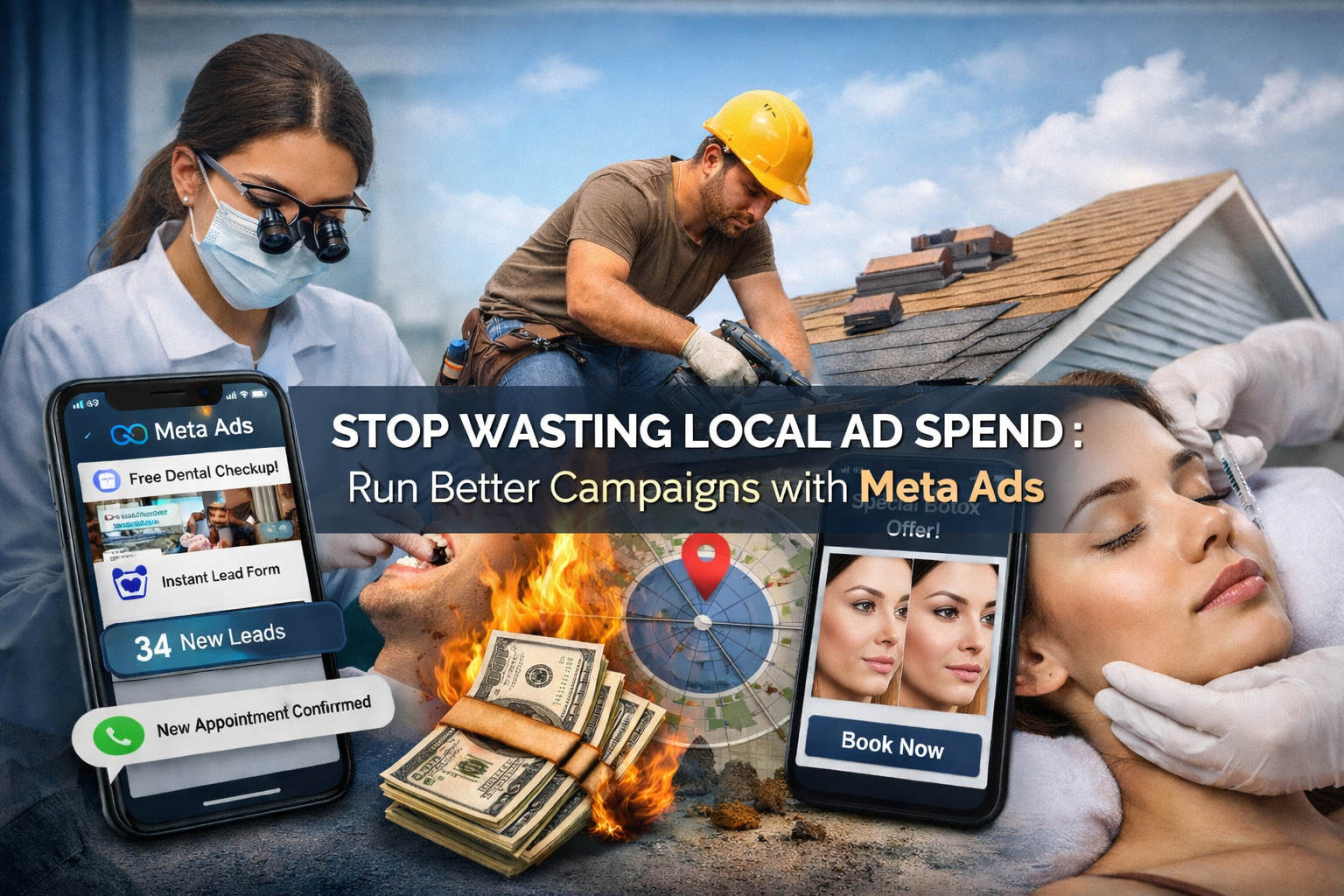
You set a daily budget. You pick an audience. You hit publish. And then you wait.
A week passes. You’ve spent ₹8,000. There are 14 link clicks, zero leads, and one comment from someone asking if you’re hiring.
This is not a Meta problem. Meta’s ad platform reaches 3.27 billion active users monthly, with targeting capabilities that most local businesses never come close to using correctly. The problem is almost always the setup — and more specifically, the five or six decisions made in the first 20 minutes of creating a campaign that silently drain budget for weeks afterward.
This post breaks down exactly what those mistakes are, what a professional Meta Ads service does differently at the technical level, and what realistic results look like when the setup is actually right.
Why most local Meta ad campaigns fail within the first week
There’s a version of this that gets blamed on Meta — “ads don’t work for my business,” “Facebook is dead,” “nobody buys from ads anymore.” It’s mostly not true. What’s true is that local campaigns fail for predictable, fixable reasons.
The wrong campaign objective is the most expensive mistake nobody talks about
When you create a Meta campaign, the first decision you make is the objective: Traffic, Engagement, Leads, Conversions, Awareness, and several others. This decision tells Meta’s algorithm what to optimize for. Choose “Traffic” and Meta will find people likely to click. Choose “Leads” and it finds people likely to fill out a form. Choose “Awareness” and it finds people who will see your ad and scroll past without doing anything — which is exactly what you want for brand awareness but catastrophic if you’re trying to generate enquiries.
Most business owners running their own ads either skip this decision entirely (the “Boost Post” button auto-selects “Engagement”) or pick “Traffic” because it feels logical — more traffic should mean more leads, right?
It doesn’t work that way. Meta’s algorithm is specifically trained to find the behavior you optimize for. A Traffic campaign finds clickers, not buyers. The people most likely to click a link are often not the people most likely to fill out a form or book a consultation. These are different audience segments, and Meta knows which one each user belongs to.
A professional Meta Ads service always matches the objective to the actual business goal — Lead Generation for contact forms, Conversions for purchases, Messages for WhatsApp inquiries. This single change can reduce cost-per-lead by 40–60% without touching anything else in the campaign.
Radius targeting is set too wide — or too narrow
A gym in Sector 17, Chandigarh doesn’t need leads from Mohali or Panchkula. A dental clinic in Rajajinagar, Bangalore doesn’t serve patients from Whitefield. But the default Meta audience setup pushes you toward city-level targeting, and most local business owners accept this.
The result: budget gets spent on people who will never walk through your door, the cost-per-relevant-lead climbs, and the campaign looks like it’s underperforming when it’s actually just targeting the wrong geography.
The fix isn’t just tightening the radius — it’s understanding how radius interacts with audience size. If you set a 3 km radius around a single location but also stack narrow interest targeting on top, you can end up with an audience of 2,000–5,000 people. Meta’s algorithm needs at least 50,000–100,000 users in an audience to exit the learning phase and optimize properly. Too small an audience and you’ll see high frequency (same people seeing your ad repeatedly), ad fatigue within days, and a campaign that never stabilizes.
The correct approach is radius targeting combined with broad demographic targeting, then letting Meta optimize within that geography — not stacking five interest layers on top of a small radius. This is something most business owners get backwards.
Boosted posts are not ad campaigns
The “Boost” button exists to take money quickly. It creates an Engagement-objective campaign, uses a simplified ad format, doesn’t support conversion tracking, and doesn’t allow retargeting setup. It’s designed for reach and likes, not leads or sales.
Many local businesses are spending ₹10,000–₹20,000 per month exclusively on boosted posts and wondering why nothing converts. The clicks happen. The impressions happen. The leads don’t happen because the campaign was never designed to generate leads.
Every rupee spent on boosted posts for lead generation purposes is a rupee that would perform 3–5x better in a properly structured Lead Generation campaign.
What a Meta Ads service actually does — at the technical level
Here’s the difference between someone managing your ads and someone who actually knows what they’re doing.
Campaign architecture: the structure that most people skip
A well-structured local Meta campaign isn’t one ad set with one creative. It’s a three-layer system:
Layer 1 — Cold audience campaigns: These reach people who have never heard of your business. The goal here is not immediate conversion — it’s introducing your offer to a qualified audience. This layer runs with broader targeting, typically radius + age/gender only, and uses content that explains what you do and why it matters. This layer burns budget intentionally, building a warm audience for Layer 2.
Layer 2 — Warm audience retargeting: Anyone who watched 50%+ of your video, engaged with your Instagram or Facebook page in the last 60 days, or visited your website gets retargeted here. These people have seen you before. They’re not strangers. The creative and offer in this layer should be different — more specific, more direct, lower-friction ask (book a call vs. buy now).
Layer 3 — Lookalike audiences: Meta can build an audience of users who statistically resemble your existing customers or your best website visitors. For local businesses with even a small customer email list (500+ is enough), a 1% lookalike audience within a specific radius will almost always outperform any manual interest-based audience you could construct.
Most local businesses run Layer 1 only, and they run it continuously, to cold audiences, with no follow-up. That’s why the results look flat.
The Instant Experience and Lead Form setup that most agencies get wrong
Meta’s native Lead Generation ad format — the Instant Form — keeps users inside the Facebook or Instagram app, which dramatically increases form completion rates compared to sending traffic to an external landing page. Studies across multiple industry benchmarks put the completion rate of Meta Instant Forms at 3–5x higher than equivalent landing page forms.
But not all Instant Forms are the same. There are two types:
“More Volume” forms pre-fill as much user data as possible and have minimal friction. They generate lots of form submissions, but the lead quality is often poor. People submit without really intending to follow through because it only took one tap.
“Higher Intent” forms add a review step — the user sees their information before submitting and has to confirm. This adds friction intentionally. It reduces volume by roughly 30–40%, but the leads who do submit are meaningfully more likely to respond when you follow up.
For high-ticket services — dental treatment, coaching, interior design — the Higher Intent form almost always produces better ROI even though it generates fewer leads. For lower-ticket, high-volume services, the More Volume form makes more sense.
A professional Meta Ads service makes this choice deliberately based on your average deal size and sales process, not by default.
Creative testing — the part that separates good campaigns from great ones
Most local businesses run one ad creative until it stops performing, then wonder why. A Meta Ads professional runs a minimum of 3–4 creative variants simultaneously from day one, structured to test one variable at a time:
- Variant A: Image ad, problem-focused headline (“Tired of chasing leads that go nowhere?”)
- Variant B: Image ad, benefit-focused headline (“Get 30 qualified leads this month — or we work for free”)
- Variant C: Short video testimonial from a real customer
- Variant D: Carousel showing process or before/after results
After 7–10 days and at least 1,000 impressions per variant, the data tells you which creative resonates. Losing variants get paused. Budget consolidates into the winner. A new challenger creative gets introduced against the winner. This iterative process is called A/B creative rotation, and it’s what separates campaigns that plateau after week 2 from campaigns that keep improving month over month.
The creative fatigue cycle on Meta averages 2–3 weeks for a local audience. If you’re running the same ad for a month straight, your audience has seen it 8–10 times and stopped registering it. Frequency above 3 in a 7-day period is a signal to refresh creatives.
Conversion tracking and the Meta Pixel — most local setups are broken
The Meta Pixel is a piece of code placed on your website that sends behavioral data back to Meta — which pages someone visited, whether they filled out a form, whether they made a purchase. Without a correctly installed and verified Pixel, Meta has no signal to optimize toward conversions. The algorithm is essentially flying blind.
A correctly configured Pixel setup for a local lead generation campaign includes:
- Base Pixel installed on all pages
- Lead event firing specifically on the “thank you” page after a form submission (not on the form page itself — on the confirmation page)
- Verified through Meta Events Manager — the event should show as “Active” with recent test traffic
- Custom conversions created to distinguish between different lead types (e.g., a dental inquiry vs. an implant inquiry — different value, different follow-up)
Most self-managed local campaigns either have no Pixel at all, or have a Pixel installed that never actually fires a Lead event because the thank-you page redirect was never set up. Meta then sees no conversions, gets no optimization signal, and defaults to optimizing for clicks — which costs money without generating qualified contacts.
Three real scenarios — what the numbers look like before and after
These examples reflect the kind of results that come from fixing the structural issues above — campaign objective, targeting, creative rotation, and tracking — for common local service businesses.
A coaching institute in Chandigarh
Before: Running a boosted post for admissions. ₹25,000/month spend. Generating 8–12 inquiries, mostly unqualified (students from outside the city, wrong course interest). Cost per inquiry: ~₹2,400.
What changed:
- Switched from Boost to a dedicated Lead Generation campaign with Higher Intent form
- Added 8 km radius around the campus, age 17–25, no interest stacking
- Created two separate ad sets — one for JEE prep, one for NEET prep — each with its own creative and form
- Set up a WhatsApp Business automated response triggered within 3 minutes of every lead submission
- Built a 60-day page engager retargeting audience and ran a separate ad set for it with a “Limited Seats” urgency message
Result after 45 days: 67 qualified inquiries. Cost per lead dropped to ₹373. 14 enrolled in the first batch — ₹2.8 lakh in fees from ₹37,500 ad spend including agency management.
A home interiors company in Gurgaon
Before: Running Traffic campaigns to a website that loaded in 6 seconds on mobile. ₹40,000/month. Leads: 5–6 per month. Cost per lead: ₹7,200. Sales team reported “no one picks up when we call.”
What changed:
- Rebuilt the landing page for mobile — load time down to under 2.5 seconds
- Switched to Instant Form (Higher Intent) so users didn’t leave the app
- Targeted homeowners in specific pin codes around DLF and Sohna Road — areas with higher new possession handovers
- Used carousel ads showing specific completed projects with sqft and price range in the caption
- Added lead quality questions to the form (“Approximate budget,” “Project type”) to pre-qualify before the sales team called
- Created lookalike audience from existing customer emails (311 contacts)
Result after 60 days: 41 qualified leads. Cost per lead: ₹975. 4 confirmed projects at an average ticket of ₹3.8 lakh. ROAS: 15.6x.
A physiotherapy clinic in Pune
Before: No paid ads. Growing through word of mouth and Google Maps. Wanted to add 20–30 new patients per month.
What changed:
- 5 km radius around the clinic, age 28–60, no interests
- Three ad sets: sports injury, back/neck pain, post-surgery rehab — each targeting the same geography but with different creatives and form questions
- Used a “Free First Assessment” offer (valued at ₹500) as the lead magnet
- Video creative: 45-second phone-recorded video of the physiotherapist explaining the most common mistake people make after a sports injury
- Retargeting: anyone who watched 25%+ of the video got a follow-up ad with patient testimonial and direct booking link
Result after 30 days: 38 new patient inquiries. 22 booked and attended. Cost per appointment: ₹441. Monthly spend: ₹17,000 including creative production. Net new revenue from the campaign: estimated ₹66,000 in first-visit billings alone, not counting repeat patients.
The five things that determine whether a local Meta campaign works
Every successful local campaign comes back to these five elements. If any one is broken, the whole system underperforms.
1. Objective matches the ask. Lead Generation campaigns for form submissions. Conversions for website purchases. Messages for WhatsApp enquiries. Never Traffic when you want contacts.
2. Geography is precise, audience is wide. Tight radius, broad demographics within that radius. Not tight radius plus narrow interests — that kills audience size.
3. Creative is tested, not assumed. At least 3 variants from day one. Refresh before frequency hits 3 in 7 days. Video outperforms static for cold audiences by an average of 20–30% in CPL, but static converts better in retargeting.
4. Tracking is verified, not just installed. Pixel live, Lead event firing on thank-you page, Events Manager showing active. Without this, Meta optimizes for nothing useful.
5. Follow-up is under 5 minutes. A 2022 study across 15,000 lead forms found that response within 5 minutes produces 9x higher contact rates versus 30 minutes, and 21x higher versus same-day response. The campaign can be perfect — if leads sit in a spreadsheet for 48 hours, they go cold and you blame the ads.
When to hire a Meta Ads service vs. running it yourself
Self-managing your Meta ads makes sense when your monthly spend is under ₹10,000, your product or service is simple to explain, you have time to learn the platform properly, and your sales cycle is short enough that you can iterate quickly.
Once you’re past ₹15,000/month, the ROI math on a professional Meta Ads service almost always works out. The agency fee is typically ₹8,000–₹25,000/month depending on scope. The improvement in cost-per-lead from proper campaign structure — usually 40–70% — means you’re getting more leads for the same budget while paying the management fee. Net cost per acquisition drops even with the additional expense.
The real cost of running a broken campaign isn’t the management fee you’re not paying — it’s the ₹30,000/month you’re spending on ads that aren’t converting.
What to ask a Meta Ads agency before hiring them
Before signing with any Meta Ads service, get answers to these specific questions:
“Show me a campaign you ran for a similar business type — what was the cost per lead at start and after 60 days?” If they can’t show this, they haven’t optimized a real campaign for your type of business.
“What campaign objective would you use for my business goal, and why?” If they say “Traffic” or “Engagement” for lead generation, that’s a serious red flag.
“How do you handle lead quality vs. lead volume?” A good agency will mention Higher Intent forms, lead qualification questions, or follow-up integration. “We optimize for leads” is not an answer.
“How often do you refresh creatives, and what does your testing process look like?” Should include a specific timeline (2–3 week creative cycles) and a process for deciding what to test.
“How do you set up conversion tracking, and how do you verify it’s working?” Should mention the Pixel, the Lead event, Events Manager, and ideally test conversion tracking before launch.
What Sooclix does differently for local Meta ad campaigns
Sooclix runs Meta ads specifically for local service businesses — coaching institutes, clinics, home services, real estate, fitness, and similar categories where geography and lead quality matter more than raw reach.
The approach is technical first: campaign architecture, objective selection, form setup, Pixel verification, and creative testing happen before a single rupee goes to Meta. Most agencies start with creative. The creative is the last thing that matters if the structure is broken.
The reporting is specific: you’ll see cost per lead, lead quality score (based on how many replied when called), and cost per qualified appointment — not just impressions and reach.
If you’re spending more than ₹15,000/month on Meta ads and your cost per lead is above ₹1,000 for a local service, or if you’re not tracking leads at all, a free audit will show you exactly where the budget is going and what a realistic improvement looks like.
Book a free Meta Ads audit with Sooclix — no commitment, just a straight look at what’s working and what isn’t.