
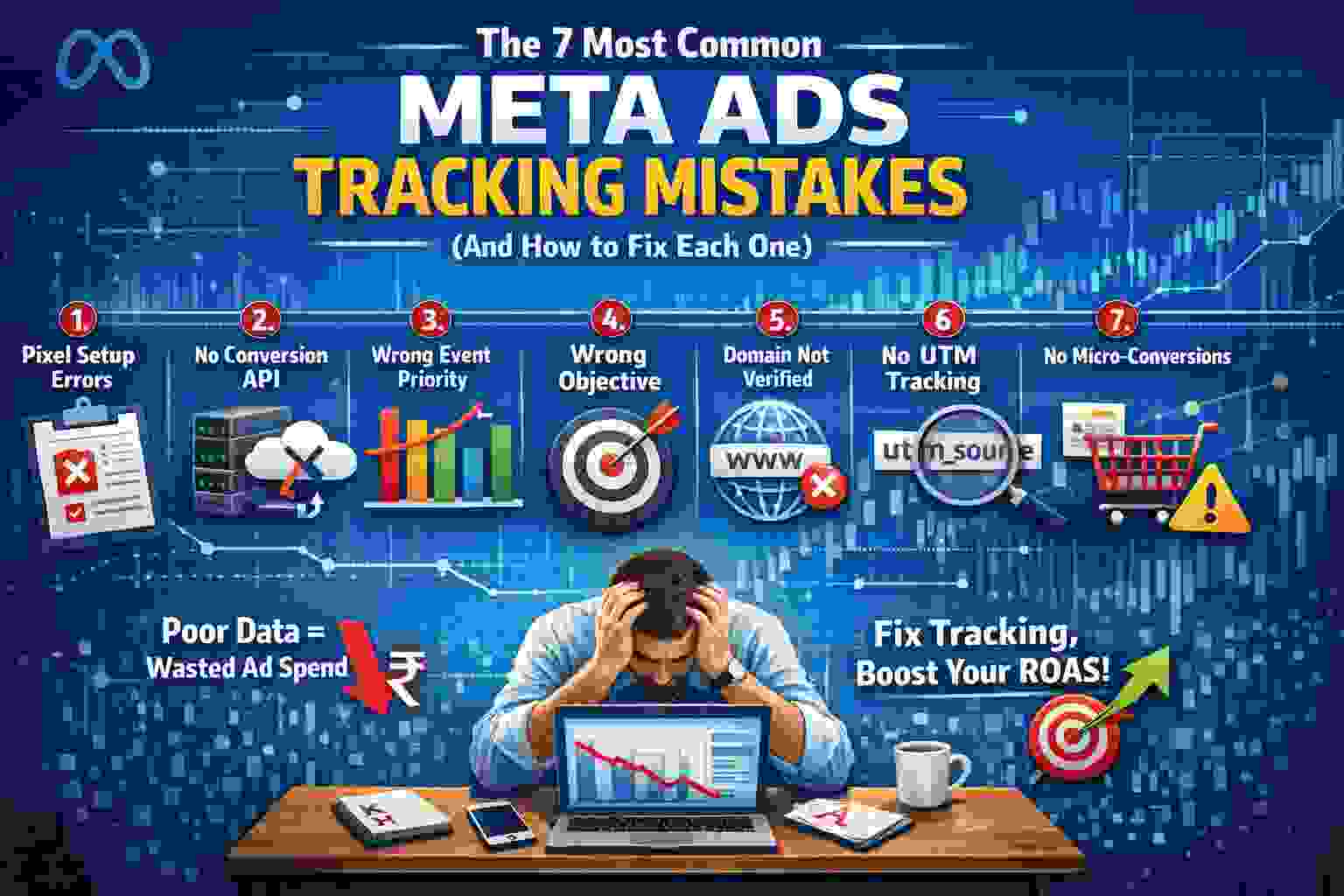
If you’re running paid campaigns without airtight tracking, you’re burning money. As an advertising company in Panipat, we’ve audited dozens of accounts where ad spend looked fine—but tracking was broken. The result? Fake ROAS, wrong decisions, and stalled growth. This guide breaks down the most damaging Meta Ads Tracking Mistakes, how they happen, and exactly how to fix them—fast.
You don’t need more ads. You need better data.
1. Pixel Installed Incorrectly (or Only Half Installed)
The Mistake
You “installed the pixel,” but:
- It’s firing twice.
- It’s placed only on the homepage.
- It’s missing on checkout pages.
- It’s installed via multiple plugins.
This is one of the most common Meta Ads Tracking Mistakes—and it destroys your event accuracy.
Why It Happens
People rush setup. They install via:
- Theme header
- Tag manager
- Shopify app
- Custom code
All at once.
Now events double fire. Meta thinks you got 2 purchases instead of 1.
How to Fix It
- Use ONE installation method.
- Open Meta Events Manager → Test Events.
- Use Meta Pixel Helper Chrome extension.
- Check:
- PageView fires once
- AddToCart fires once
- Purchase fires once with correct value
Pro Tip:
If your purchase values show ₹0 or random numbers, your pixel is not passing dynamic values properly. Fix that before scaling.
2. No Conversion API (CAPI) Setup
The Mistake
You’re relying only on browser pixel tracking.
iOS updates + ad blockers = data loss.
This is one of the biggest Meta Ads Tracking Mistakes in 2026.
Why It Matters
Browser tracking misses:
- iOS users
- Safari users
- Private mode users
- People with tracking blockers
Meta under-reports conversions → campaigns look weak → you kill winners.
How to Fix It
Set up:
- Conversion API via Shopify native integration
OR - Google Tag Manager server-side
OR - Direct server integration
In Events Manager:
- Check “Event Match Quality”
- Aim for 7–10/10
If you skip this, you’re flying blind.
3. Wrong Event Prioritization (Aggregated Event Measurement)
The Mistake
You didn’t configure event priority properly.
Meta allows only 8 prioritized events per domain.
If your AddToCart is ranked above Purchase, guess what? Meta optimizes for carts—not sales.
Classic Meta Ads Tracking Mistakes.
How to Fix It
Go to:
Events Manager → Aggregated Event Measurement → Configure Web Events
Correct order should usually be:
- Purchase
- InitiateCheckout
- AddToCart
- ViewContent
- Lead
- CompleteRegistration
Never prioritize vanity metrics above revenue.
4. Optimizing for the Wrong Objective
The Mistake
You run:
- Traffic campaigns expecting sales
- Engagement campaigns expecting leads
- Video views expecting purchases
This is not a creative problem. It’s a tracking + objective mismatch problem.
Another silent Meta Ads Tracking Mistake.
Why It Kills Performance
Meta optimizes based on the selected event.
Traffic campaign = finds clickers
Sales campaign = finds buyers
Different people. Different behavior patterns.
How to Fix It
Always match:
| Goal | Campaign Objective |
|---|---|
| Ecommerce Sales | Sales (Purchase event) |
| Lead Generation | Leads (Conversion event) |
| WhatsApp Leads | Sales with custom conversion or Lead event |
| Webinar Signups | Leads or CompleteRegistration |
Stop blaming creatives when your objective is wrong.
5. Not Verifying Domain
The Mistake
Your domain isn’t verified in Business Manager.
So:
- Events can’t be prioritized properly.
- Competitors can claim your domain.
- Aggregated measurement doesn’t work correctly.
Basic, but one of the overlooked Meta Ads Tracking Mistakes.
How to Fix It
- Go to Brand Safety → Domains
- Add domain
- Verify via:
- DNS TXT record (best method)
- HTML upload
- Meta tag
DNS verification is cleaner and long-term stable.
6. Ignoring UTMs and GA4 Cross-Verification
The Mistake
You trust only Meta’s dashboard.
That’s dangerous.
Meta reports modeled data. You need a second source like:
- GA4
- Server logs
- CRM data
Not cross-checking is one of the strategic Meta Ads Tracking Mistakes businesses make.
How to Fix It
Add UTMs to all ads:
Example template:
utm_source=facebook
utm_medium=paid
utm_campaign={{campaign.name}}
utm_content={{ad.name}}
Then:
- Check GA4 → Acquisition → Traffic acquisition
- Compare purchases
- Look at assisted conversions
If Meta shows 100 purchases and GA4 shows 40, investigate:
- Attribution window
- Duplicate firing
- Missing server events
Data mismatch is normal. Blind trust is not.
7. Not Tracking Micro-Conversions
The Mistake
You only track purchases.
So Meta has very little learning data, especially if:
- Budget is low
- Sales volume is low
- New ad account
This slows optimization and increases CPM.
Another hidden Meta Ads Tracking Mistake.
Why It Matters
Meta’s algorithm needs data density.
If you get:
- 5 purchases/month
Meta can’t learn properly.
But if you track:
- ViewContent
- AddToCart
- InitiateCheckout
Now Meta has signals to optimize.
How to Fix It
If you’re new or low-budget:
Stage 1:
Optimize for AddToCart
Stage 2:
Switch to Purchase once you get 30–50 purchases/month
Scaling requires data, not hope.
Bonus: Advanced Tracking Errors Most Agencies Miss
Since most businesses rely on an advertising company in Panipat or elsewhere, here are deeper mistakes we see in audits:
1. No Value-Based Lookalikes
If you’re not passing purchase values, you can’t create value-based audiences.
2. Broken Deduplication
If CAPI + Pixel both fire but don’t share event ID, Meta counts double.
Fix:
- Enable event ID matching.
3. Wrong Attribution Window
Default is 7-day click / 1-day view.
If you sell high-ticket services, test:
- 7-day click only
- Compare performance trends
Why Fixing Meta Ads Tracking Mistakes Is Non-Negotiable
Let’s be blunt.
You cannot scale what you cannot measure.
Most brands think they have:
- Creative problem
- Targeting problem
- Budget problem
Reality?
Tracking problem.
These Meta Ads Tracking Mistakes:
- Inflate ROAS
- Kill scaling
- Confuse decision-making
- Waste ad budget
- Break retargeting
If your backend data is wrong, every decision on top of it is wrong.
Quick Audit Checklist (Use This Today)
Open your ad account and verify:
☐ Pixel fires once per event
☐ CAPI active and deduplicated
☐ Domain verified
☐ Events prioritized properly
☐ Correct campaign objective selected
☐ UTMs added
☐ GA4 cross-checked
☐ Purchase value passing correctly
☐ No duplicate pixels
☐ Event match quality above 7/10
If you fail 3+ items, fix tracking before increasing budget.
Final Thoughts
Running ads without proper tracking is like driving blindfolded and blaming the road.
Whether you’re an ecommerce brand, service provider, or working with an advertising company in Panipat, fixing these Meta Ads Tracking Mistakes will immediately improve decision quality—even before improving creatives or scaling budgets.
Tracking isn’t sexy.
But it’s the backbone of profitable Meta ads.
Fix the data. Then scale.
If you’re serious about growth, audit your account today.